VDIWarmUp improves logon times for users by pre-logging onto the Virtual Machine at system startup.
The VDIWarmUp user connects to the VM via RDP and optionally runs a profile logon script that calls common processes to improve application launch times for subsequent users.
- Supports pre-existing VMs
- Supports Specialized Images
- Supports Generalized Images
- Supports Single & Multi-User O/S
- Supports Active Directory
- Supports Entra ID
- Supports AVD Session Hosts
- Supports Citrix VDAs
- Integrates with AVDManage
- Digitally Signed
|
|
The first logon to a VM that has started from a de-allocated or cold state is frequently slow in comparison to subsequent logons. VDIWarmUp logs onto the VM at startup improving logon time for subsequent users.
The same applies to launching applications on a cold VM. VDIWarmUp can be configured to launch core applications improving the overall user experience.
Virtual machines build their cache using a multi-tier storage layer built upon the RAM of the physical host and local SSDs. This cache is designed to improve read performance for data frequently accessed by applications.
The cache resides on the same physical host as the virtual machine, allowing for much lower latency than standard remote storage. The cache is built based on the Host Caching configuration selected for the disk (e.g. None, Read-only, or Read/Write). When read requests are made, data is retrieved from remote storage and, if caching is enabled, stored in the local SSD/RAM tier. Subsequent reads of that data are served directly from the cache. By default, OS disks use Read/Write caching. |
Comparison
| Cold Logon |
Seconds |
Cold Logon With VDIWarmUp |
Seconds |
25/03/2026 01:18:52 : User: user1
25/03/2026 01:18:52 : Domain: DOMAIN
25/03/2026 01:18:52 : Authentication Time: 25/03/2026 01:18:20
25/03/2026 01:18:52 : RDP Session connecting: 03/25/2026 01:18:20
25/03/2026 01:18:52 : Logon Time: 03/25/2026 01:18:24
25/03/2026 01:18:52 : Winlogon: 03/25/2026 01:18:24
25/03/2026 01:18:52 : Load User Profile: 03/25/2026 01:18:26
25/03/2026 01:18:52 : FSLogix: 03/25/2026 01:18:26 - Profile load: Status: 0 Reason: 0 Error: 0
25/03/2026 01:18:52 : Loaded User Profile: 03/25/2026 01:18:26
25/03/2026 01:18:52 : Group Policy Starting: 25/03/2026 01:18:26
25/03/2026 01:18:52 : Group Policy Applied: 25/03/2026 01:18:28
25/03/2026 01:18:52 : Starting shell: 25/03/2026 01:18:34
25/03/2026 01:18:52 : RDP Session connected: 03/25/2026 01:18:34
25/03/2026 01:18:52 : Logon script starting: 03/25/2026 01:18:34
25/03/2026 01:18:52 : Logon script complete: 03/25/2026 01:18:34
25/03/2026 01:18:52 : UserInit: 25/03/2026 01:18:53
25/03/2026 01:19:08 : UserInit Complete: 25/03/2026 01:19:06
25/03/2026 01:19:08 : Duration: 45.2523156 |
4
6
8
14
33
46 |
25/03/2026 01:06:57 : User: user1
25/03/2026 01:06:57 : Domain: DOMAIN
25/03/2026 01:06:57 : Authentication Time: 25/03/2026 01:06:48
25/03/2026 01:06:57 : RDP Session connecting: 03/25/2026 01:06:48
25/03/2026 01:06:57 : Logon Time: 03/25/2026 01:06:49
25/03/2026 01:06:57 : Winlogon: 03/25/2026 01:06:49
25/03/2026 01:06:57 : Load User Profile: 03/25/2026 01:06:50
25/03/2026 01:06:57 : FSLogix: 03/25/2026 01:06:50 - Profile load: Status: 0 Reason: 0 Error: 0
25/03/2026 01:06:57 : Loaded User Profile: 03/25/2026 01:06:50
25/03/2026 01:06:57 : Group Policy Starting: 25/03/2026 01:06:50
25/03/2026 01:06:57 : Group Policy Applied: 25/03/2026 01:06:52
25/03/2026 01:06:57 : Starting shell: 25/03/2026 01:06:55
25/03/2026 01:06:57 : RDP Session connected: 03/25/2026 01:06:55
25/03/2026 01:06:57 : Logon script starting: 03/25/2026 01:06:55
25/03/2026 01:06:57 : Logon script complete: 03/25/2026 01:06:55
25/03/2026 01:06:57 : UserInit: 25/03/2026 01:06:58
25/03/2026 01:07:20 : UserInit Complete: 25/03/2026 01:07:19
25/03/2026 01:07:20 : Duration: 30.5668411 |
1
2
4
7
10
31 |
Installation
Install VDIWarmUp in your master image.
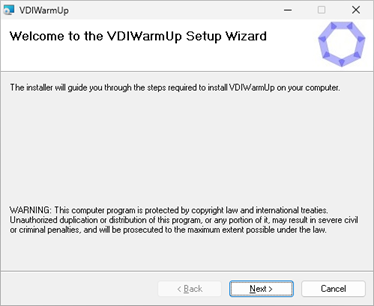 |
Run VDIWarmUp.msi (as Administrator)
Click Next |
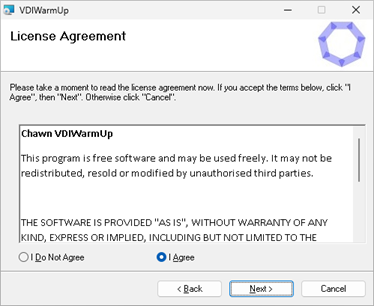 |
Agree and click Next |
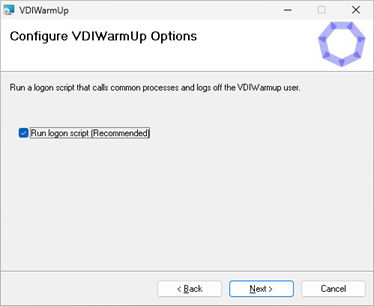 |
Click Next |
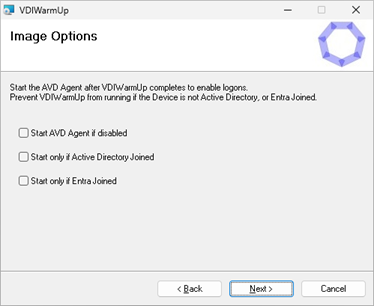 |
Run logon script at startup.
Choose to delete the VDIWarmUp user account and scheduled tasks when VDIWarmUp completes.
VDIWarmUp will only run on the first boot.
Click Next |
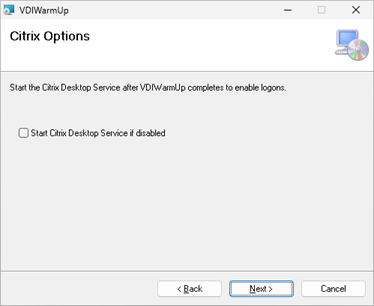 |
To prevent VDIWarmUp from running during deployment, select the appropriate option.
This will also prevent VDIWarmUp from running when starting the Master Image VM.
Click Next |
 |
To prevent AVD user connections while VDIWarmUp is running, VDIWarmUp can stop the Remote Desktop Agent Bootloader service at startup, and enable and start the service when VDIWarmUp completes.
To prevent Citrix user connections while VDIWarmUp is running, VDIWarmUp can stop the Citrix Desktop Service at startup, and enable and start the service when VDIWarmUp completes. |
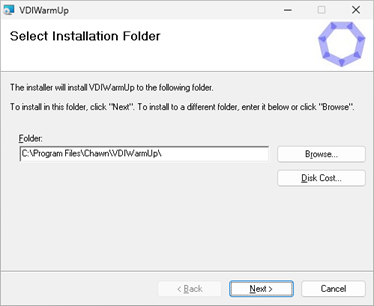 |
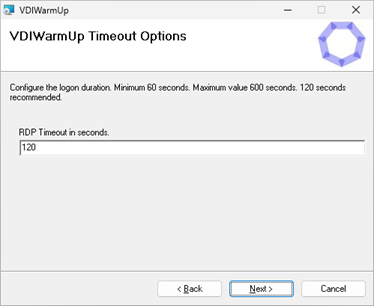
Specify a maximum session duration. This should be greater than the time required to run the logon script.
|
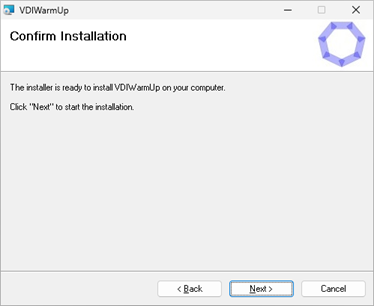 |
Click Next |
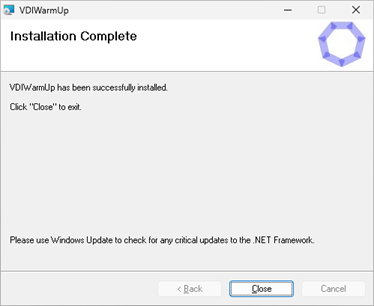 |
Click Close. |
When installation is complete.
Modify C:\Windows\System32\Repl\Import\Scripts\VDIWarmUp.cmd based on your application environment.
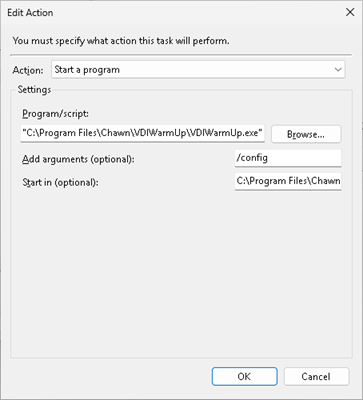
Run VDIWarmUp.exe /config (as Administrator) to create the VDIWarmUp user account, and the VDIWarmUpConfig and VDIWarmUp Scheduled Tasks.
Run VDIWarmUp.exe /test (as Administrator) to launch an RDP Connection, create the VDIWarmUp user profile and validate your configuration.
Validate C:\Windows\Temp\VDIWarmUp-<USERNAME>.log.
|
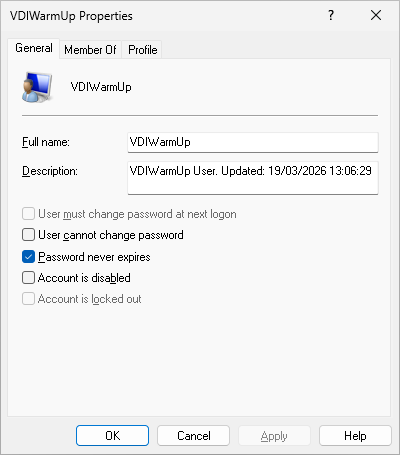
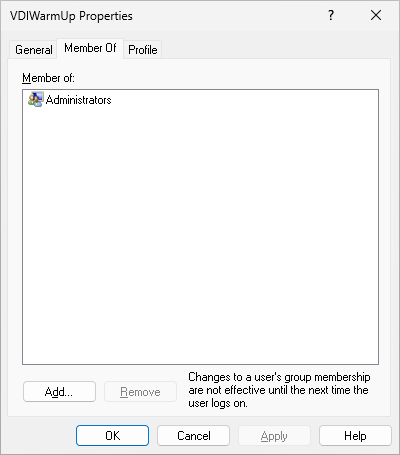
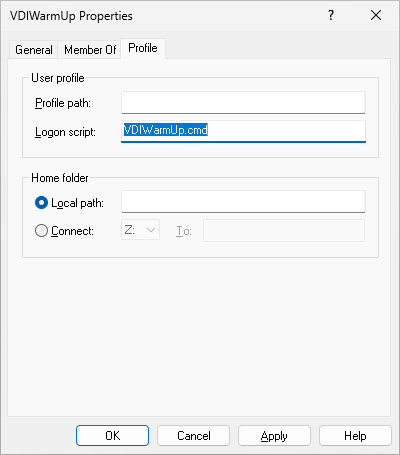
Validate the VDIWarmUp user.
Check that VDIWarmUp is a member of Administrators and that the Profile Logon script is set correctly.
The password is rotated to a new random complex value at every launch. (Contains at least five uppercase letters, five lowercase letters, five numbers, and five special characters)
You can manually generate a new password by running VDIWarmUp.exe /config (as Administrator) |
|
|
|
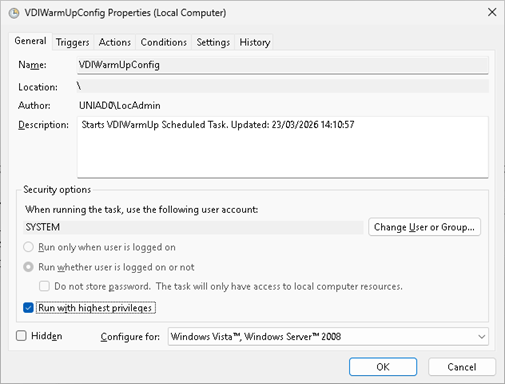
Validate the VDIWarmUpConfig scheduled task.
The VDIWarmUpConfig scheduled task runs as SYSTEM. It updates the VDIWarmUp scheduled task, then starts the VDIWarmUp scheduled task. |
|
|
|
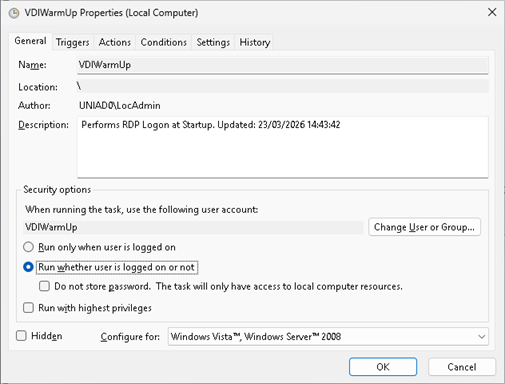
Validate the VDIWarmUp scheduled task.
You can run either task manually. No connection window will be visible however you can monitor progress by watching the Users tab in Task Manager and by reviewing the VDIWarmUp-SYSTEM.log and VDIWarmUp-VDIWarmUp.log files.
|
|
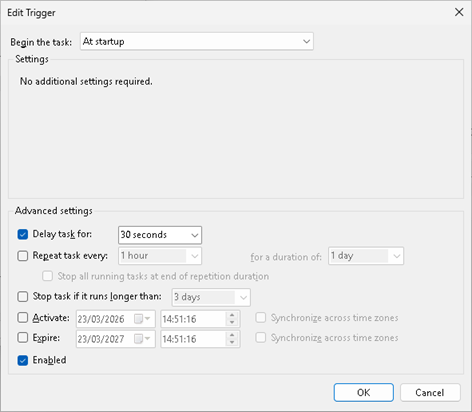
No Trigger.
The VDIWarmUpConfig scheduled task invokes the VDIWarmUp scheduled task
|
|
Silent Installation (MSI Properties)
Combine MSI properties as required.
| Default Installation |
msiexec /i VDIWarmUp.msi /qb |
| Default Installation (Explicit) |
msiexec /i VDIWarmUp.msi RUNSCRIPT=1 RDPTIMEOUT=180 /qb |
| Don't Run Logon Script |
msiexec /i VDIWarmUp.msi RUNSCRIPT="" /qb |
| Delete VDIWarmUp user and scheduled tasks when complete |
msiexec /i VDIWarmUp.msi DELETEVDIWARMUP=1 /qb |
| Start only if Entra joined |
msiexec /i VDIWarmUp.msi WAITONENTRA=1 /qb |
| Start only if Active Directory joined |
msiexec /i VDIWarmUp.msi WAITONAD=1 /qb |
| Manage the Microsoft AVD Agent |
msiexec /i VDIWarmUp.msi STARTAVDAGENT=1 /qb |
| Manage the Citrix Desktop Service |
msiexec /i VDIWarmUp.msi STARTCITRIX=1 /qb |
Registry Configuration
All properties are located in HKEY_LOCAL_MACHINE\Software\Chawn\VDIWarmUp\Settings
| |
String |
Enabled |
Disabled |
| Run Logon Script |
RUNSCRIPT |
1 |
0 or Null |
| Delete VDIWarmUp user and scheduled tasks when complete |
DELETEVDIWARMUP |
1 |
0 or Null |
| Start only if Entra Joined |
WAITONENTRA |
1 |
0 or Null |
| Start only if Active Directory Joined |
WAITONAD |
1 |
0 or Null |
| Manage the Microsoft AVD Agent |
STARTAVDAGENT |
1 |
0 or Null |
| Manage the Citrix Desktop Service |
STARTCITRIX |
1 |
0 or Null |
| Session Duration |
RDPTIMEOUT |
Minimum 60 Maximum 600 Recommended 180 |
File Configuration
VDIWarmUp.exe and supporting files are located in C:\Program Files\Chawn\VDIWarmUp
The profile logon script (VDIWarmUp.cmd) and Add-AppXpackages.ps1 scripts are located in C:\Windows\System32\Repl\Import\Scripts
Modify VDIWarmUp.cmd based on your application environment. It is recommeded to retain the shutdown /l command for a faster log off, instead of waiting for the session duration (RDPTIMEOUT)to expire.
Events from the VDIWarmUpConfig scheduled task are logged to C:\Windows\Temp\VDIWarmUp-SYSTEM.log
Events from the VDIWarmUp scheduled task are logged to C:\Windows\Temp\VDIWarmUp-VDIWarmUp.log
Command line parameters
"C:\Program Files\Chawn\VDIWarmUp\VDIWarmUp.exe"
/config
|
Creates VDIWarmUp user, creates VDIWarmUpConfig and VDIWarmUp Scheduled Tasks. Does not connect via RDP. |
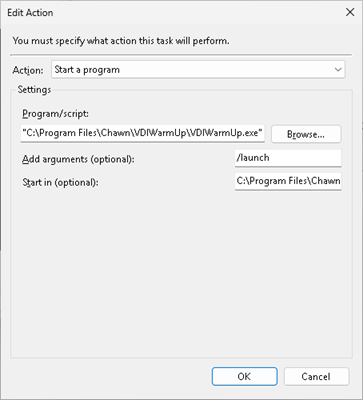
/launch
|
Updates VDIWarmUp user and VDIWarmUp Scheduled Task. Connects via RDP and respects all configured parameters. |
|
Same as /launch except that STARTAVDAGENT, STARTCITRIX, WAITONAD and WAITONENTRA parameters are ignored. |
/delete
|
Deletes the VDIWarmUp user account, and the VDIWarmUpConfig and VDIWarmUp scheduled tasks. |
/config may be run as an Administrator or run as a Scheduled Task as SYSTEM
/launch may be run as an Administrator or run as a Scheduled Task as VDIWarmUp. Respects all parameters.
/test may be run as an Administrator or run as a Scheduled Task as VDIWarmUp. Ignores all parameters except for RUNSCRIPT and RDPTIMEOUT.
/delete may be run as an Administrator.
VDIWarmUp.cmd (Profile Logon Script)
Add common and core application processes to the logon script.
Don't run processes that don't return after launching. This will pause the script indefinitely.
Use start to launch processes asynchronously
Adjust the timeout value in the script based on testing on a cold machine
Adjust the RDPTIMEOUT value to a greater value than is required to run the logon script
To deploy AppX Packages, remove the rem from the powershell command. This will add approximately 60 seconds to the VDIWarmUp process. Ensure that RDPTIMEOUT is at least 180. |
rem Chawn VDIWarmUp Logon Script
rem ------------------------------------------------------Start common apps.
start notepad
start explorer /SEPARATE
start msedge
start taskmgr
start ms-settings:
rem ------------------------------------------------------Start your apps. Edit as necessary
rem start winword
rem start excel
rem start outlook
rem start acrobat
rem ------------------------------------------------------Deploy AppX Packages - start Teams and OneDrive - increase RDPTIMEOUT to 180
rem powershell.exe -WindowStyle Maximized -ExecutionPolicy Bypass -File "C:\Windows\System32\Repl\Import\Scripts\Add-AppxPackages.ps1"
rem ------------------------------------------------------Wait for apps to load
timeout /t 30 /nobreak
rem ------------------------------------------------------LogOff
shutdown /l |
Testing
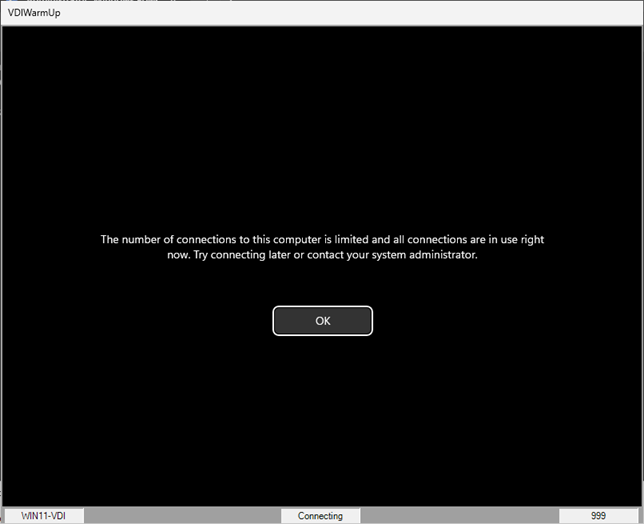
On a Multi-User operating system or Server operating system, the VDIWarmUp window will open interactively and display the logon and logoff process.
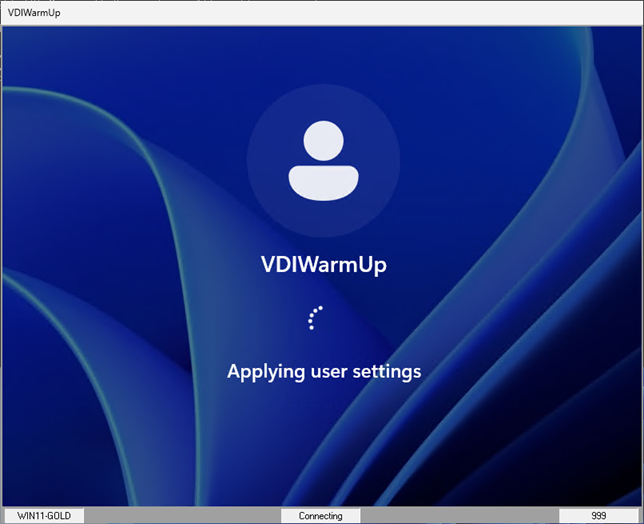
On a single user operating system, Windows will not permit more than one RDP connection so the following is displayed.
This is a successful test. You can either click OK or wait 60 seconds until disconnection.
Reboot the VM and review VDIWarmUp.log to confirm a successful configuration.
VDIWarmUp.exe /test will ignore the following parameters.
DELETEVDIWARMUP
WAITONENTRA
WAITONAD
STARTAVDAGENT
STARTCITRIX
|
 |
User Profile Management
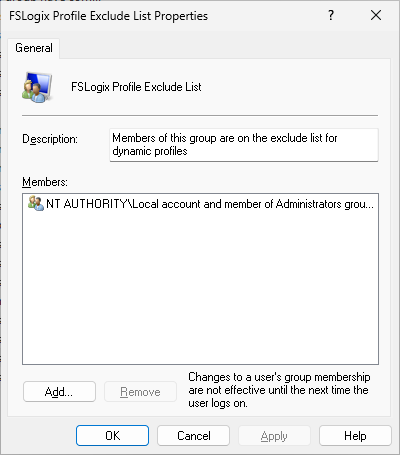
To prevent logon issues with User Profile Management, ensure that VDIWarmUp or members of Administrators are excluded from User Profile Management.
e.g. With FSLogix, either add VDIWarmUp or Local Account and members of Administrators group to FSLogix Profile Exclude List and FSLogix ODFC Exclude List local groups in your master image. |
|
Integrate with AVDManage / AVD-Turbo / AVD-Config
AVD-Config may be configured to:
- Create an Image that is configured for either Active Directory or Entra ID
- Prevent user connections until VDIWarmUp has completed
Install VDIWarmUp. During installation, set 'Start only if Active Directory joined' (WAITONAD=1), even if you intend to join Entra ID, and 'Start AVD Agent if disabled' (STARTAVDAGENT=1).
Create C:\Scripts\AVD-Config.ps1.
AVD-Turbo will run AVD-Config.ps1 after joining Active Directory or Entra ID and optionally joining an AVD Host Pool. |
Add the following text to AVD-Config.ps1to stop and disable the 'Remote Desktop Agent Bootloader' service.
This will prevent user connections while VDIWarmUp is running. |
Function DisService {
Param ([string]$servname)
try {
if (get-service -ServiceName $servname -ErrorAction SilentlyContinue)
{
Get-Service -ServiceName $servname | Set-Service -StartupType Disabled -ErrorAction SilentlyContinue
}
}
catch{}
}
DisService RDAgentBootLoader
# Disable Logons - we don't want users logging on until after the reboot
stop-service RDAgentBootLoader |
| Add the following text to AVD-Config.ps1to check if the VM is Active Directory joined or Entra Joined. |
# Configure VDIWarmUp based on VM Join Status
Function CheckEntraID
{
try {
$dsregStatus = dsregcmd /status 2>$null
if (-not $dsregStatus) {
logwrite ("EntraJoined: NO");
}
# Parse AzureAdJoined and DomainJoined values
$Global:IsEntraJoined = ($dsregStatus | Select-String "AzureAdJoined\s*:\s*(YES|NO)").Matches.Groups[1].Value;
}
catch {}
}
# Check if VM is Entra joined
$IsEntraJoined='NO'
CheckEntraID
# Check if VM is AD joined
$DomainJoined=((gwmi win32_computersystem).partofdomain); |
| Add the following text to AVD-Config.ps1to configure VDIWarmUp for Active Directory or for Entra ID. |
#Configure VDIWarmUp
if ($DomainJoined) {
Set-ItemProperty -Path "HKLM:\SOFTWARE\Chawn\VDIWarmUp\Settings" -Name "WAITONAD" -Value 1 -force;
Set-ItemProperty -Path "HKLM:\SOFTWARE\Chawn\VDIWarmUp\Settings" -Name "WAITONENTRA" -Value 0 -force;
}
if($IsEntraJoined -eq 'YES') {
Set-ItemProperty -Path "HKLM:\SOFTWARE\Chawn\VDIWarmUp\Settings" -Name "WAITONAD" -Value 0 -force;
Set-ItemProperty -Path "HKLM:\SOFTWARE\Chawn\VDIWarmUp\Settings" -Name "WAITONENTRA" -Value 1 -force;
} |
| Finalise your image. VDIWarmUp will start the the 'Remote Desktop Agent Bootloader' service when complete. |
Legal Warnings
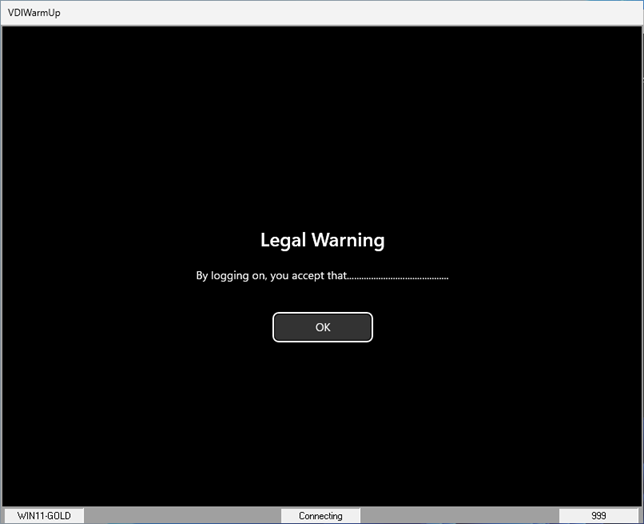
| VDIWarmUp cannot currently handle legal warnings. |
|
|