When launching AVDManage on Windows 11 with Smart Access Control Enabled, you may receive the following message and AVDManage is blocked from launching.
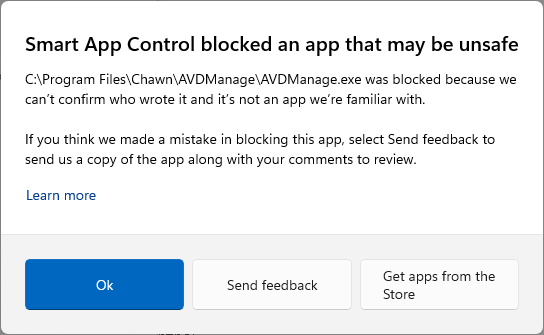
The issue did not occur before 27th January 2026.
The issue is only seen on computers with a Trusted Platform Module.
Yes they did make a mistake as AVDManage is signed with a valid Sectigo Code Signing EV Certificate.
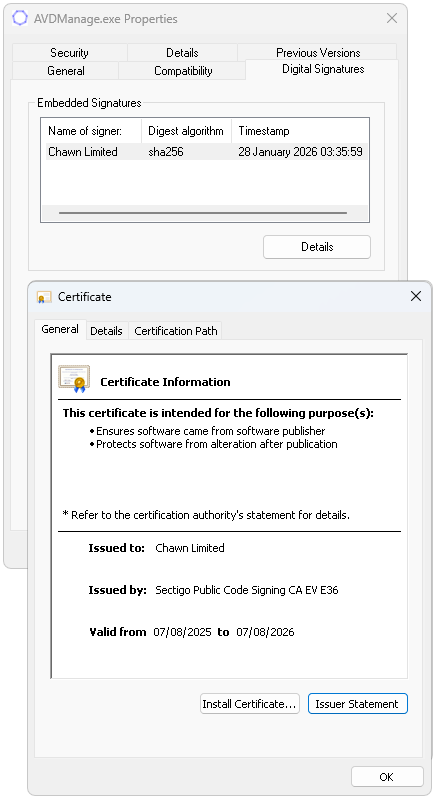
You can validate the signature with Powershell and Signtool.
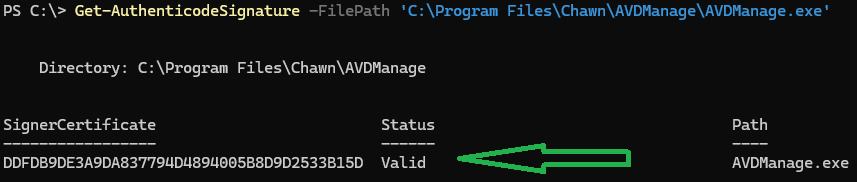

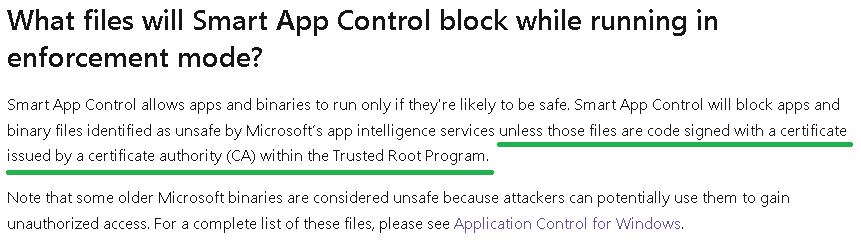
The Sectigo 'AAA Certificate Services' CA (D1EB23A46D17D68FD92564C2F1F1601764D8E349) has been part of the Microsoft Trusted Root Certificate program since 2004 and does not expire until 2028.
Sectigo Support have confirmed that:
'Based on our review, the behavior you are seeing is not related to a problem with your EV Code Signing certificate, or the certificate chain. Your certificate is valid, correctly timestamped, and the signature verifies successfully.'
Please click OK to submit feedback to Microsoft stating that 'this is a valid signed application and Smart App Control has detected a false positive'.
Currently the only solution is to disable Smart App Control.
This can be disabled in the registry by modifying the following registry value and restarting..
Key: HKLM\SYSTEM\CurrentControlSet\Control\CI\Policy
DWord: VerifiedAndReputablePolicyState
Value: 0
0 = Disabled 1 = Enabled 2 = Evaluation Mode
Toggling Smart App Control will be added to Windows 11 Build 26220.7070.
Announcing Windows 11 Insider Preview Build 26220.7070 (Dev & Beta Channels) | Windows Insider Blog
Update to follow..................
30th January 2026
The issue now appears to be resolved. AVDManage 2.3.9 successfully launches with Smart App Control enabled. Confirmed on Windows 11 24h2 Build 26100.7628 and Windows 11 25h2 Build 26200.7628.
|







 .
.